PMS & Channel Manager
Connecting your PMS
This guide explains how to connect a Guesty PMS account to the Livily channel by pushing listings from Guesty, selecting the appropriate settings, and completing the registration link sent by email. Following these steps will complete the integration setup on both platforms.
How to Connect Guesty to Livily
G
Selected PMS
Guesty
1. Open Livily in Guesty
- Log in to your Guesty account.
- Go to Marketing & Sales → Distribution.
- Find Livily and click Connect.
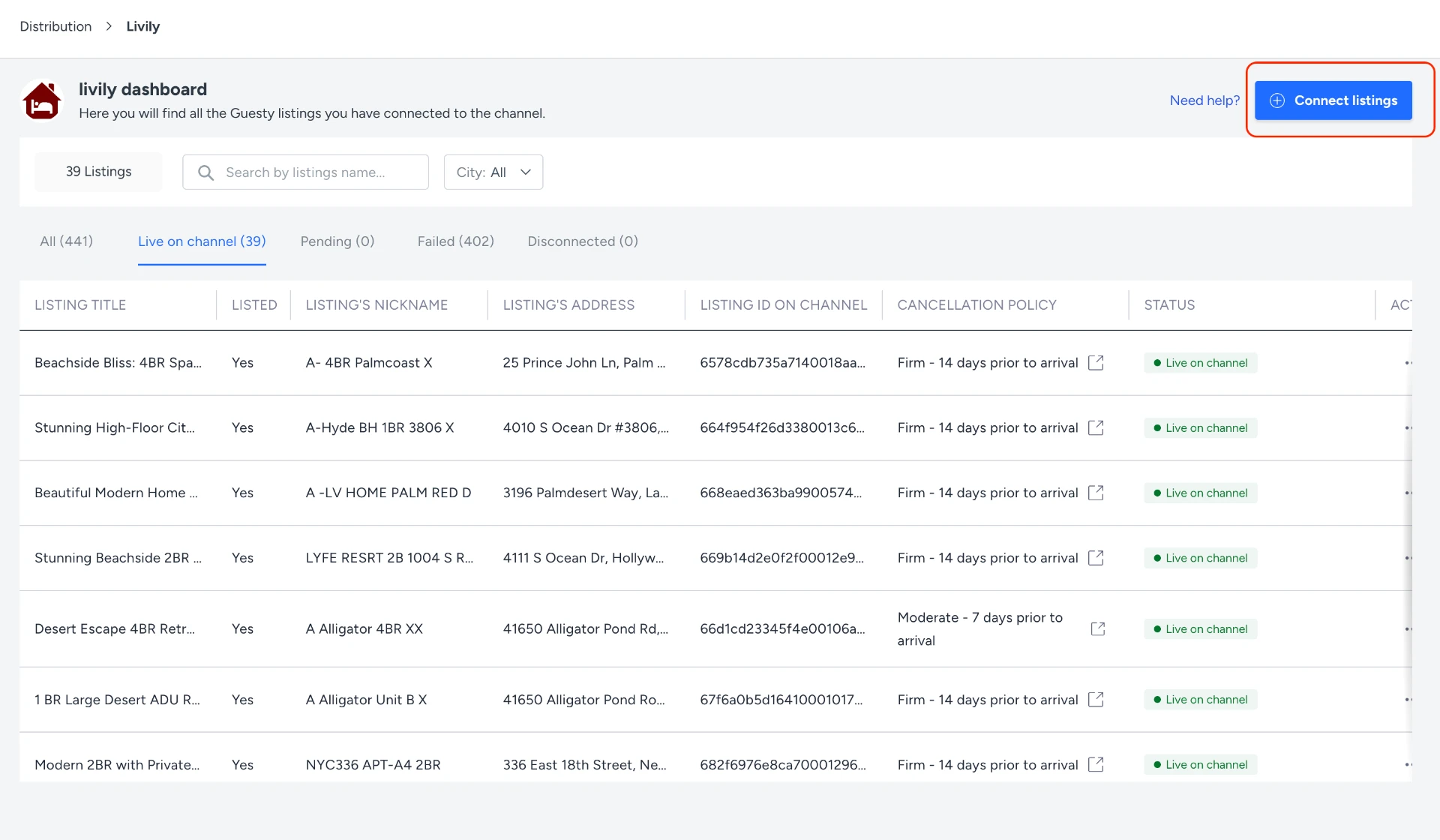
2. Select Your Listings
- Click Connect Listings.
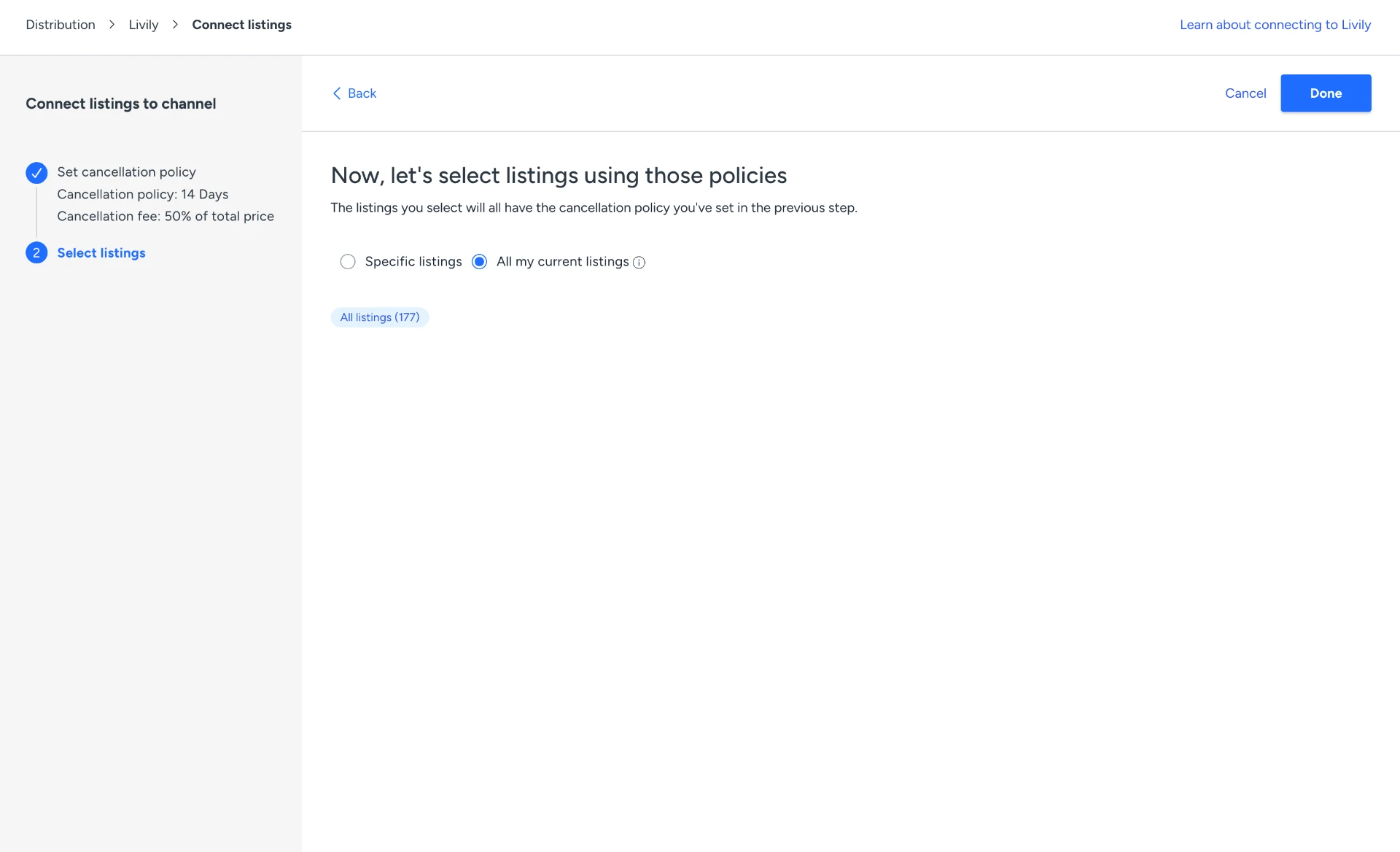
- Select your cancellation policy.
- Choose the listings you want to connect:
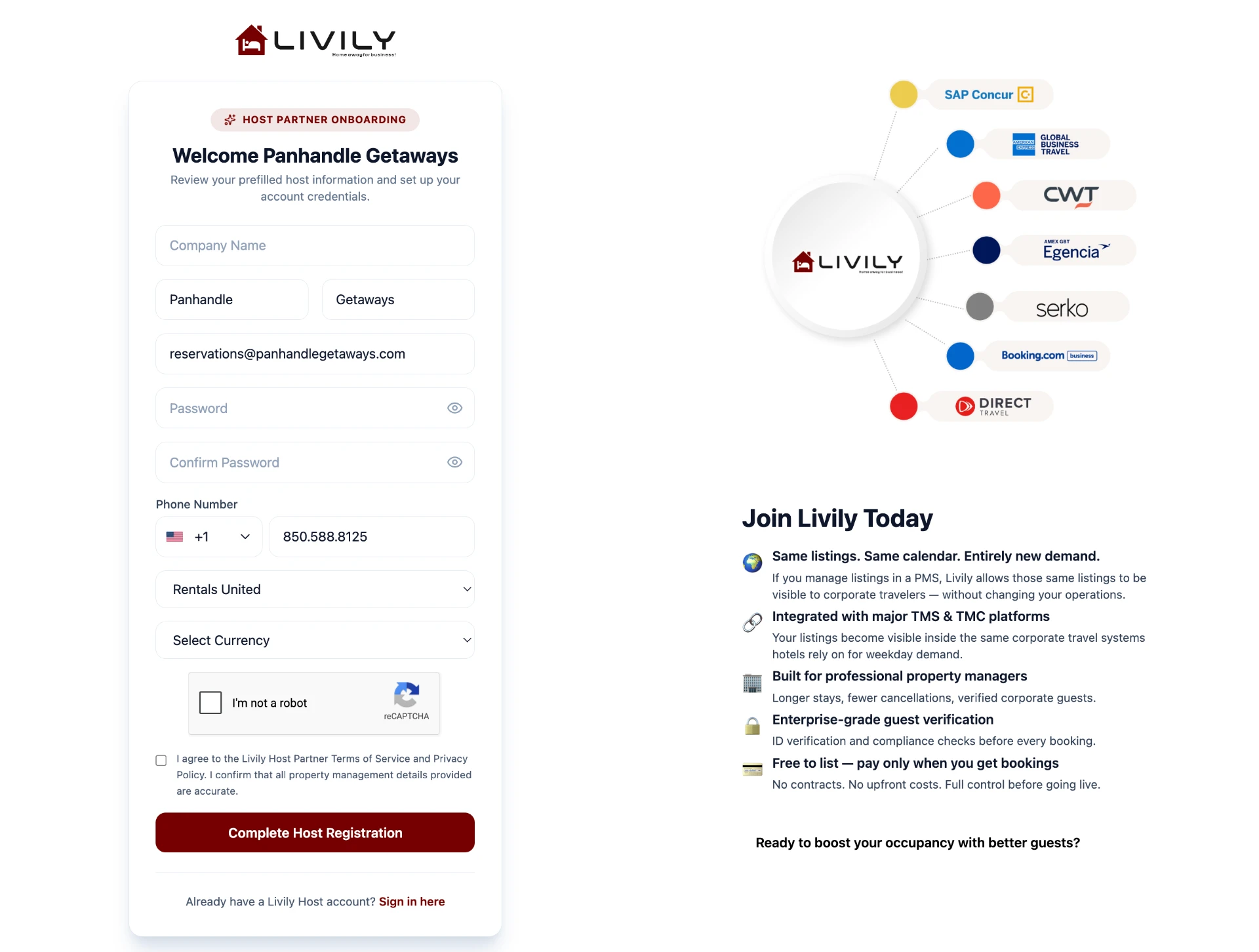
3. Complete Your Livily Registration
- After your listings are sent, you will receive an email from Livily.
- Open the Livily email.
- Click the registration link.
- Complete your Livily account setup.
Once registration is complete, your Guesty account and listings will be connected to Livily.
📲 Need Help?
If you run into issues connecting Guesty, Hostaway, Streamline, Hospitable, Boost, OwnerRez, Rentals United, or BookingPal to Livily, our integrations team is here to help. You can also reach our customer support team at hosthelp@livily.com for assistance.
- Contact Support
Welcome to business-class bookings.