
How to connect your listing to Livily with Streamline
Streamline Integration
User Guide: Finding and Entering Streamline API Information on Livily Corporate Travel
Step 1: Generate API Key(s) & Obtain Required Credential
In order to connect your Streamline account to Livily, you will first need to obtain the following credentials from Streamline (both are required):
- Token Key
- Token Secret Key
Follow the step-by-step instructions below to obtain your credentials:
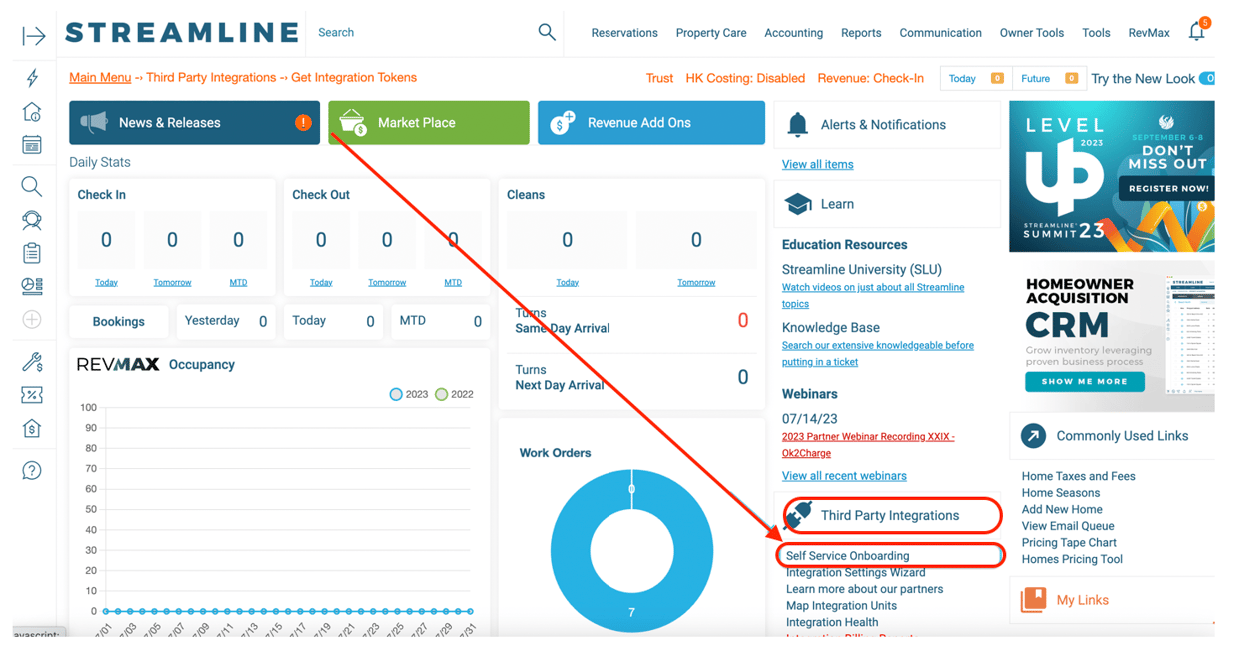
2. Locate Livily from the available channel options and click the ‘Get Tokens’ button on the far-right of the page under the 'Tokens' column.
Please note that these instructions could differ slightly due to updates made by Streamline. If you need additional help obtaining your API key or other credentials, we recommend reaching out to Streamline support (support@streamlinevrs.com).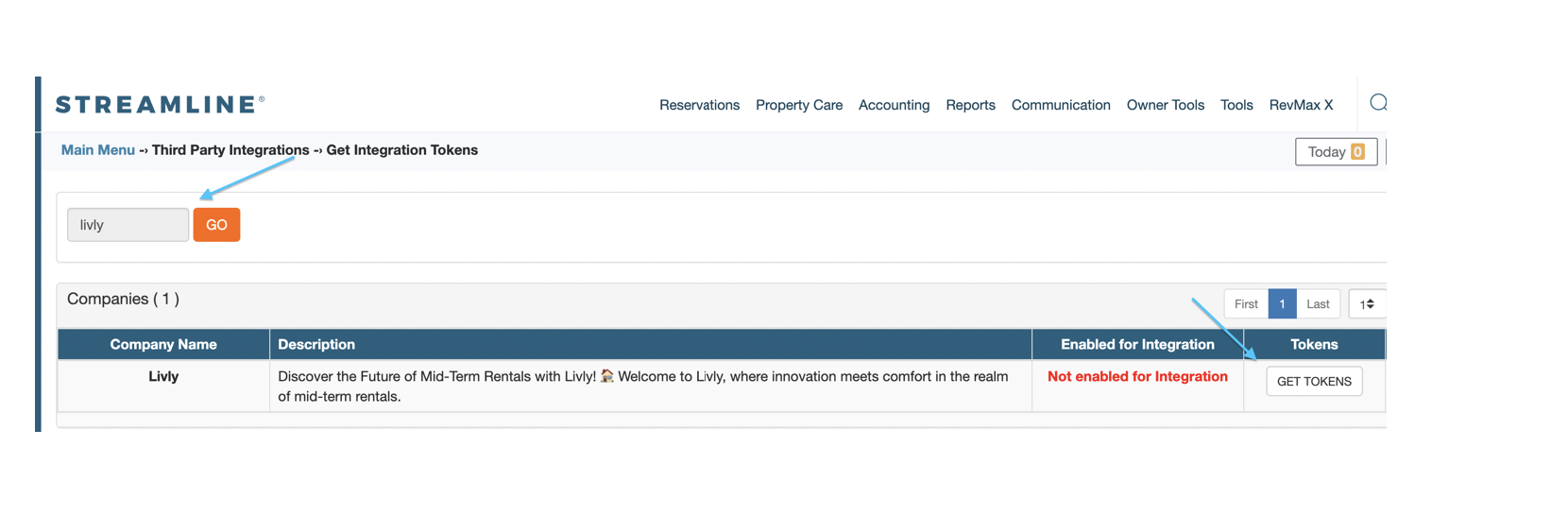
Step 2: Register on Livily and enter your token on Livily:
-
Open a web browser and go to https://livly.app/register. Create an account or log in to your Livily account using your credentials.
-
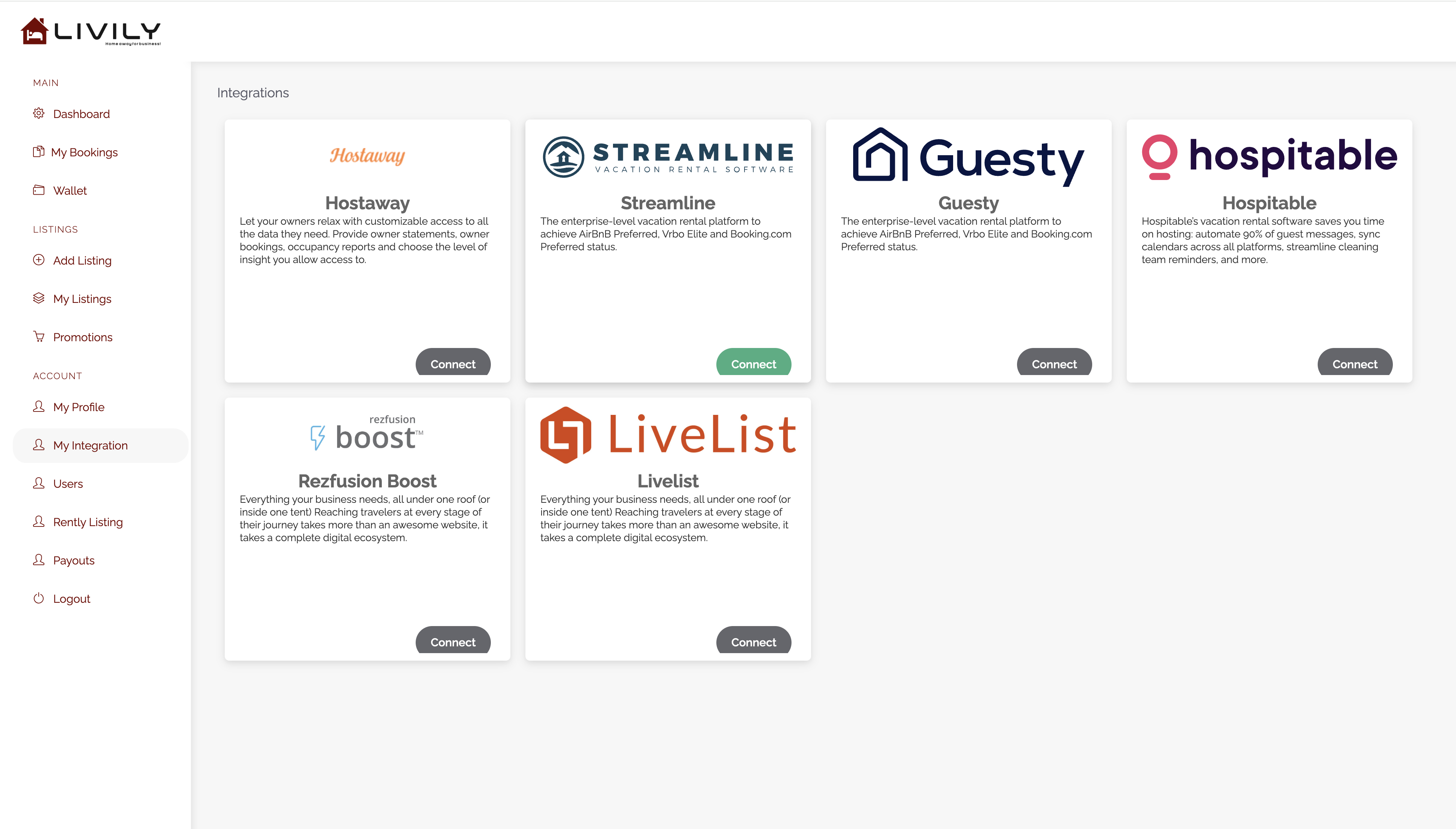
Navigate to Integrations Page: Once logged in, find and navigate to the "Integrations" tab on the left-side column in the Account section. "Connect Streamline"
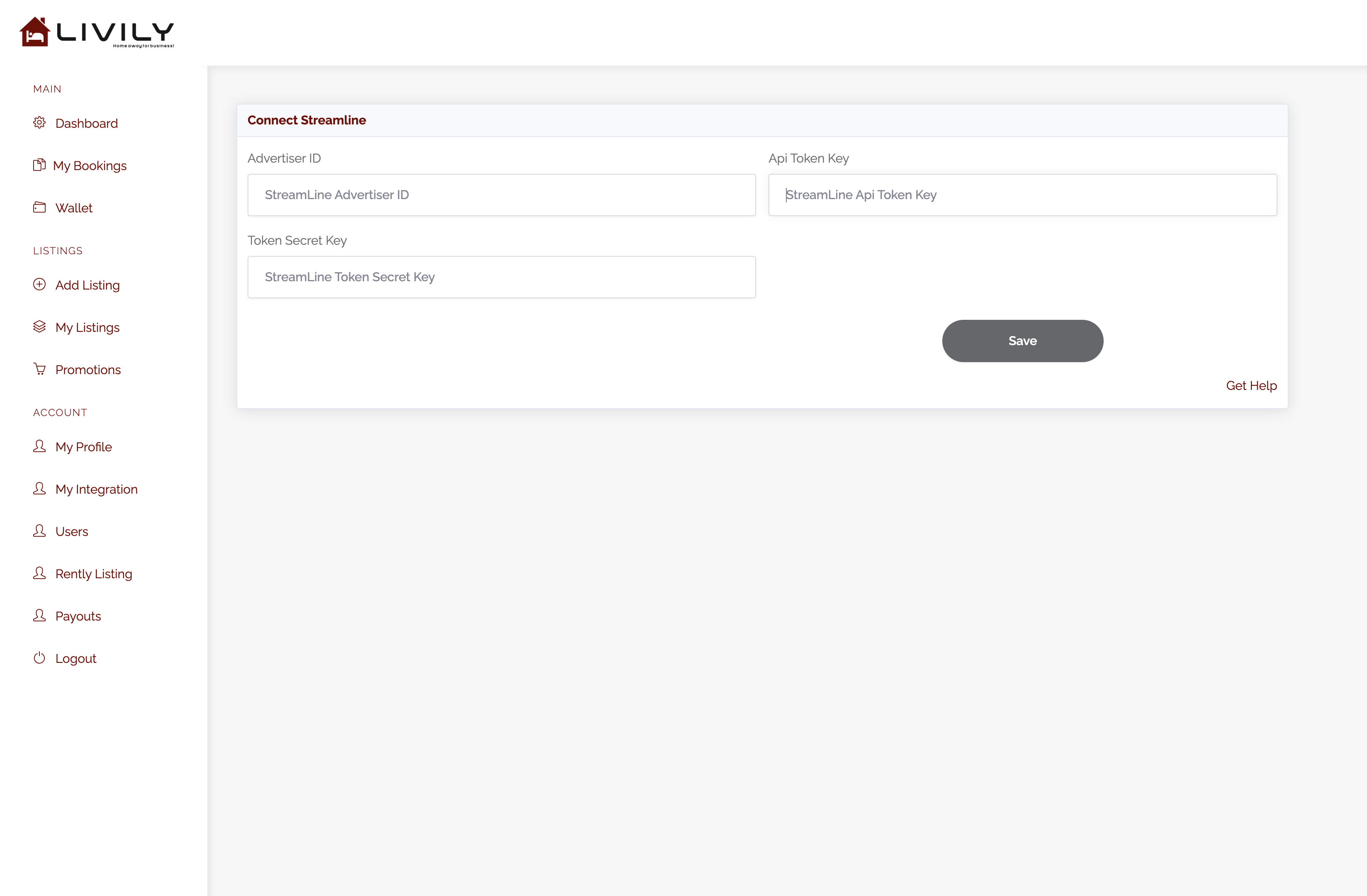
Then enter the token information into Livily and click save.
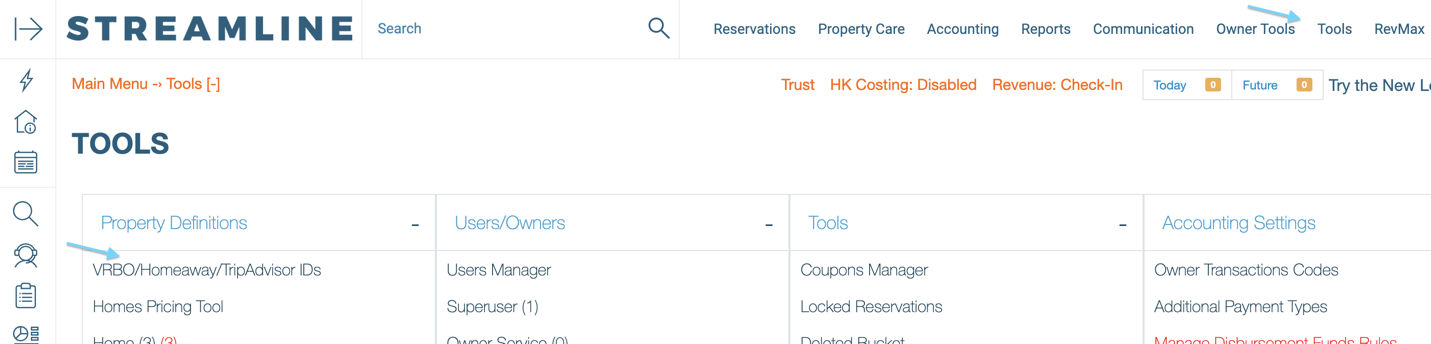
Step 3: Go back to Streamline to enable 'PUSH" units using the tool VRBO/Homeaway/TripAdvisor IDs
Go to Tools -> VRBO/Homeaway/TripAdvisor IDs
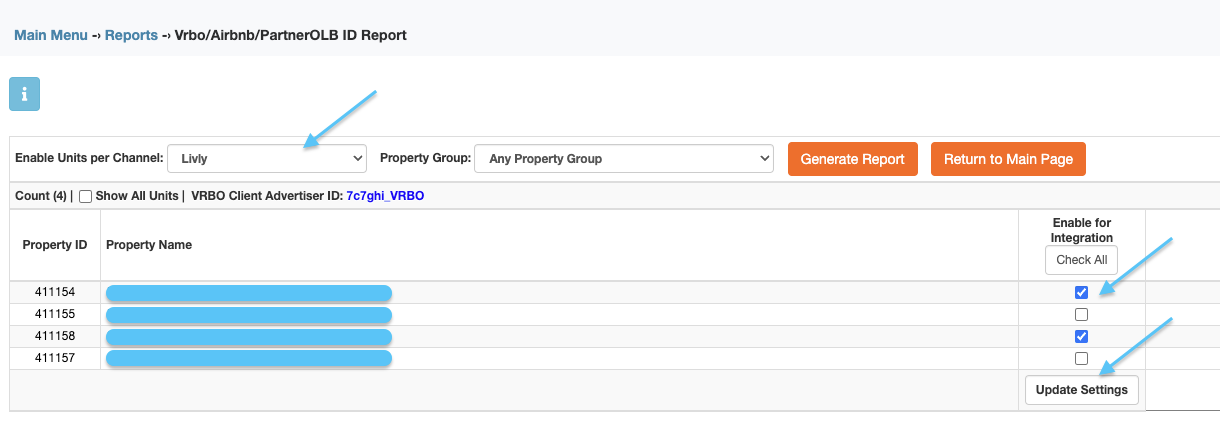
Select Channel Livly.
Click Generate Report, this will display all units available to be selected for the integration. Enable the checkbox for each unit you want to integrate with Livily.
Click > Update Settings
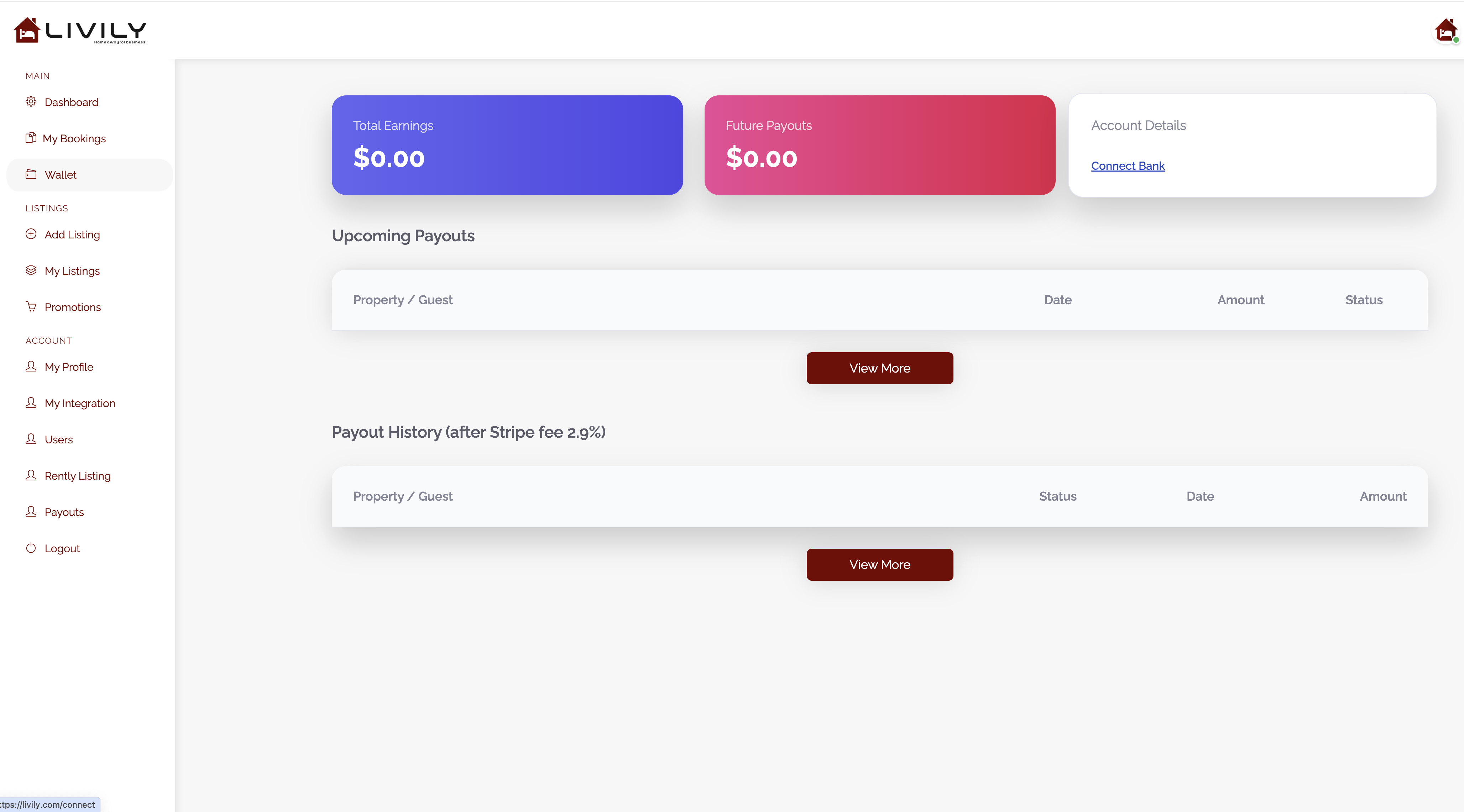
Step 5: Add banking info for payouts and update your profile
Go to > Wallet > Account Details > Connect Bank
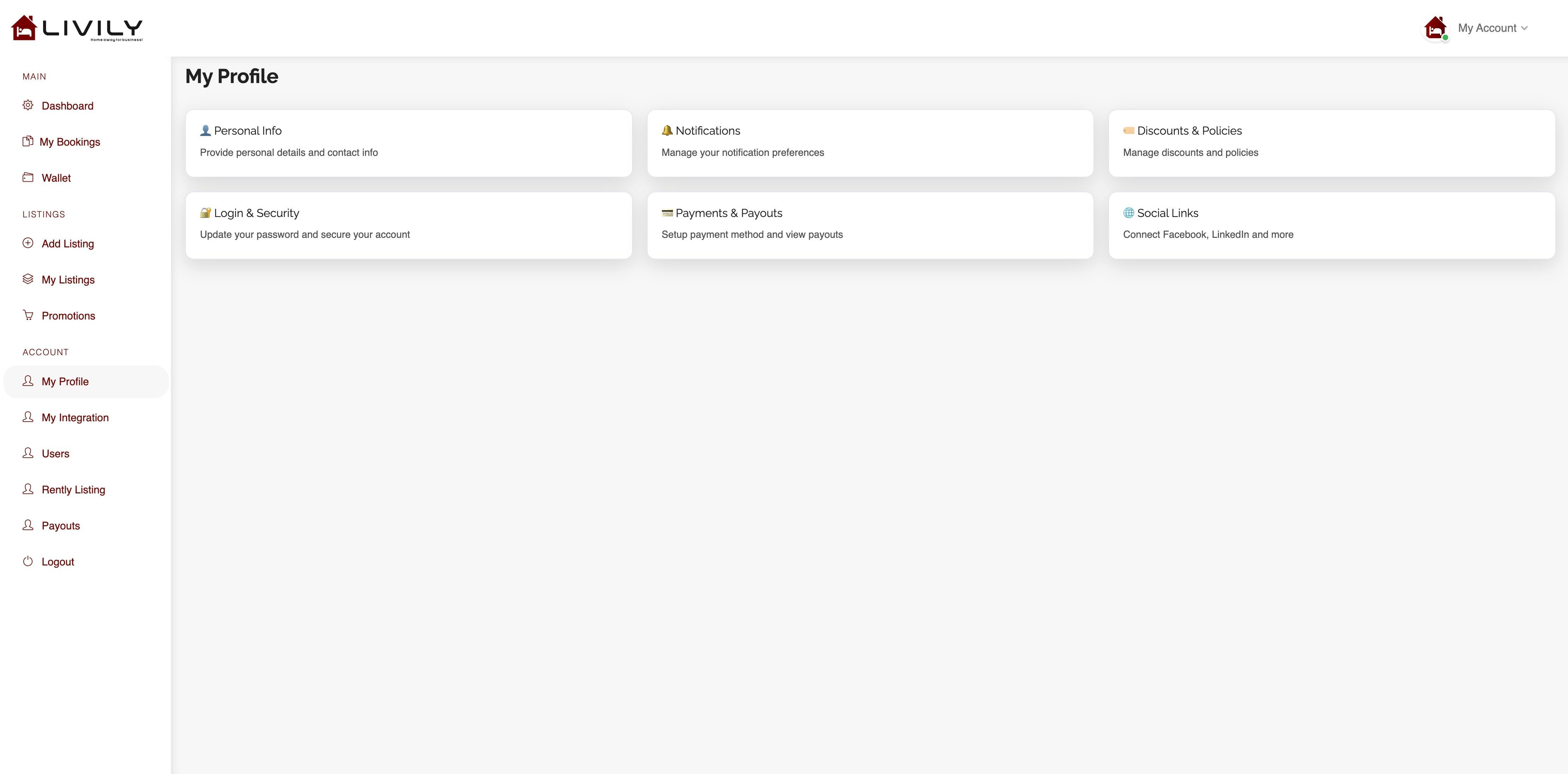
Update your profile info as needed: We recommend adding the notification email, this is where we will send reservation confirmations.
Congratulations! You have successfully set up your Streamline PMS and integrated with Livily. You'll now enjoy seamless data synchronization and enhanced functionality between the two platforms. If you encounter any issues during the process, refer to the respective support documentation provided by Streamline and Livily or reach out to our customer support team at hosthelp@livily.com for assistance.